Encrypted before it is stored
Session notes, safety plans and what clients write in their tools are encrypted in the app, before they reach the database.
Worksheets photographed on a kitchen table. A GAD-7 sent back as a PDF. “Did you get my email?” Between-session work deserves better than attachments.
Client app
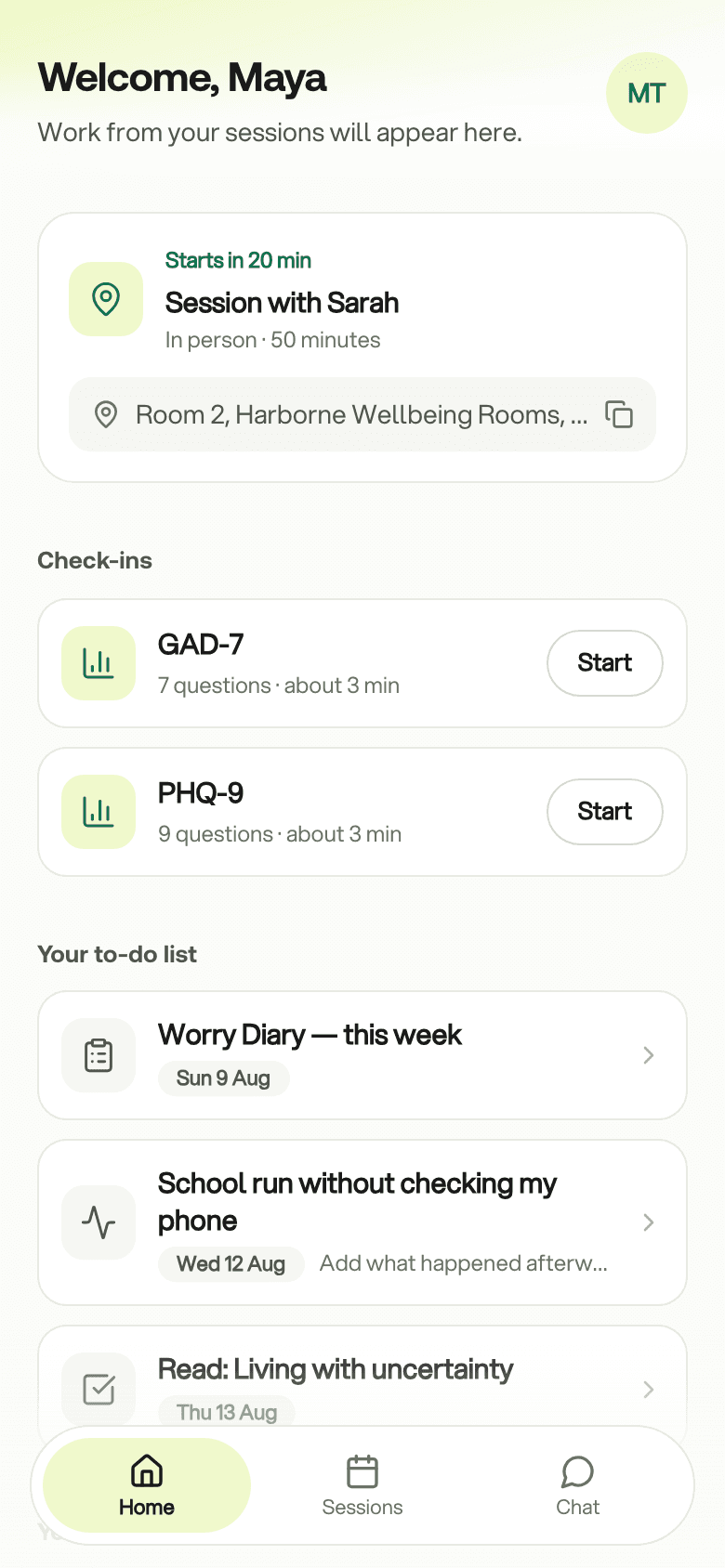
Each client you invite gets their own app. It holds what you put there and nothing else: this week's tasks, a check-in when one is due, the next session and a private thread to you.
Works in any browser today. iPhone and Android apps are coming to the app stores.
Why it helps
Completed worksheets and check-ins are on the client's profile when you sit down. Reviewing them takes two minutes.
Clients see what to do and when it is due. Nothing to print, photograph or email back.
Tasks, check-ins, tools and documents show only when you assign them or switch them on for that client.
Inside the app
Five quiet screens. You control what is on each.
The next session, a check-in if one is due, and this week's tasks. A client who opens the app at a hard moment finds their work, with no feed to scroll.
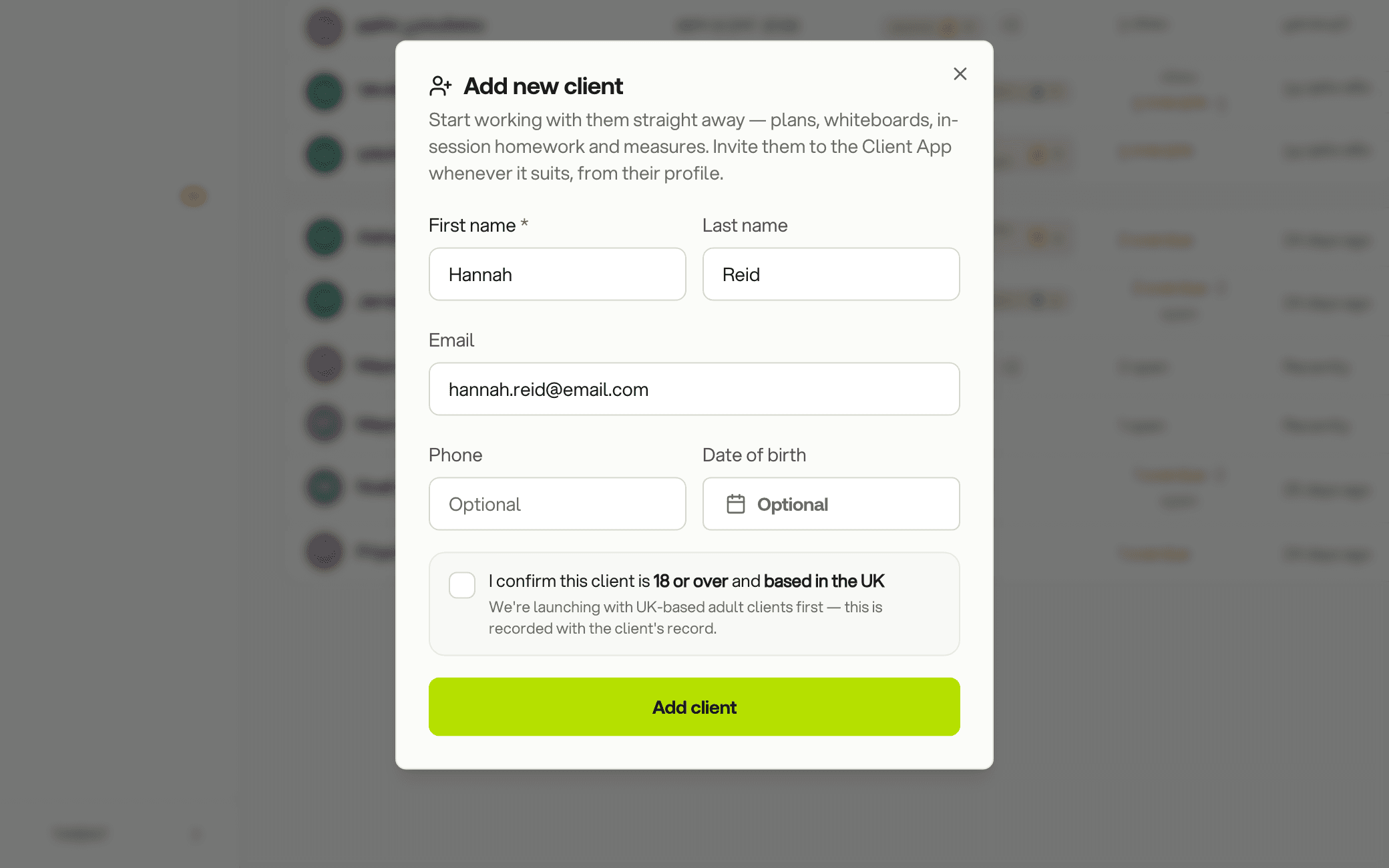
Add a client with their name and email address, or show a QR code in the room. They choose a password and they are in.
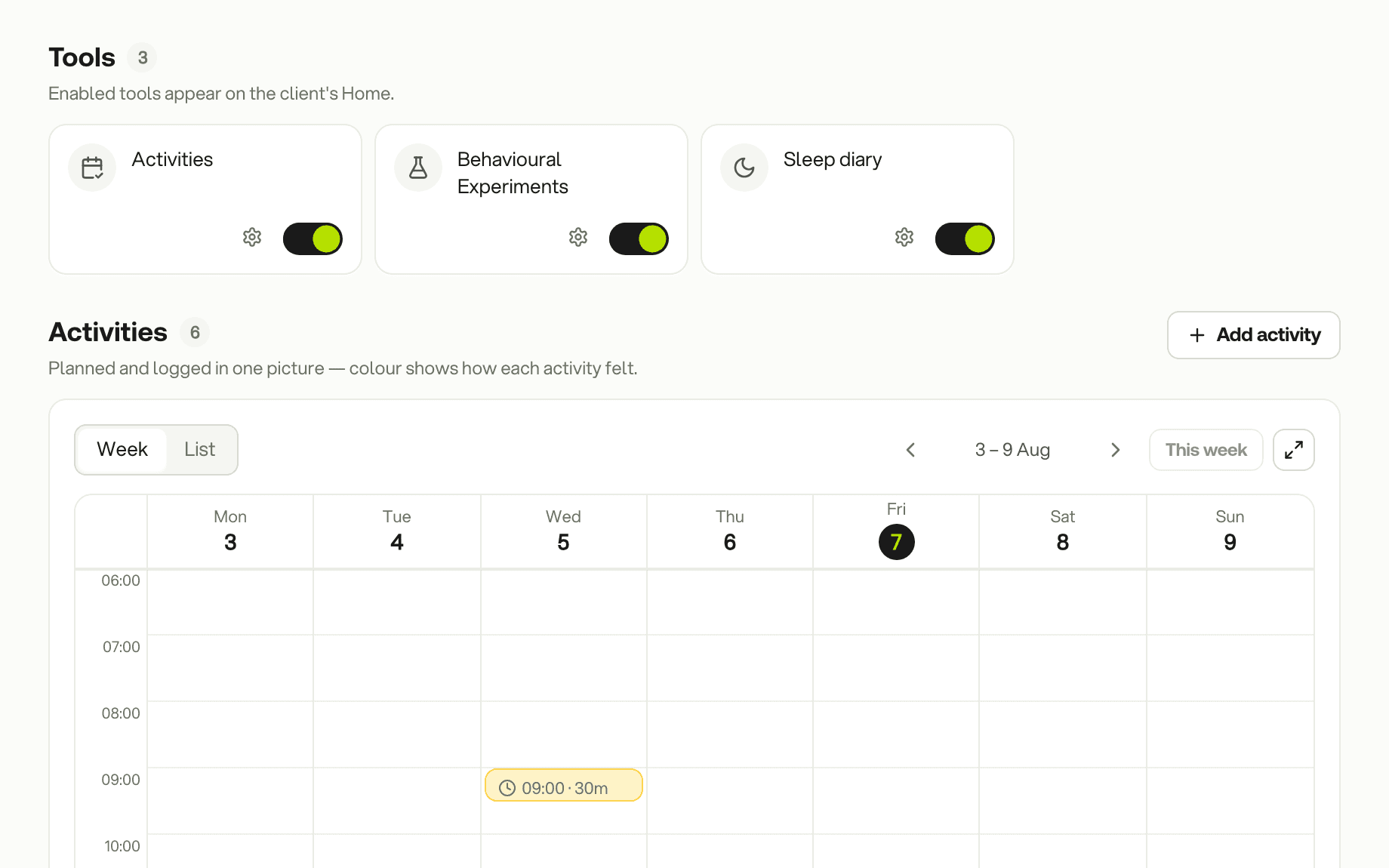
Homework appears when you assign it. A check-in appears when it is due and goes when it is done. Activities, behavioural experiments, the sleep diary and the safety plan stay hidden until you switch them on for that client.
Write it together in session and share it when you are ready. It opens with the emergency number and crisis lines for the client's country, then their own plan. They can add to the sections you allow.
Push reminders for the day before and the day something is due arrive with the iPhone and Android apps. They never name a measure or a worksheet, because a lock screen is not private.
Private by design
What a client writes in therapy is about as private as data gets. This is how the app treats it.
Encryption, access, exports, incident response and every subprocessor are set out on the Privacy & Security page.
Session notes, safety plans and what clients write in their tools are encrypted in the app, before they reach the database.
A record can be read by the client and by you. The database enforces this, not the screen.
Notes and tool entries are encrypted with a key only you and your client can use. Our admin tools cannot read them.
Hosted in the EU (Ireland), with a data processing agreement for your practice and export of your data on every plan.
Plans
The client app is the same on Flow Solo and Flow Pro. The plans differ in practice tools.
The clinical essentials
£2.50per active client / month · from £7.50
The full client experience. You pay for the clients you are working with.
Running the whole practice
£3.00per active client / month
Everything in Solo, with payments, invoicing and your booking page.
Prices in GBP per month.
Book a 20-minute demo. We will show both sides: what you set up and what your client sees.
20 minutes · Google Meet · no obligation