
The session ended well. Then: the transfer that has not arrived, the invoice to chase, the reminder you have drafted three times. Money talk does not belong in the therapy room, or in your evening.
Payments & invoicing
Get paid without chasing.
Request the fee from the session or the client's profile. Your client pays by card in their app or from your payment link, and the money goes straight to your bank.
Why it helps
The money side, handled quietly
Ask from the session
One click on the session page sends the request. The therapy hour ends with therapy.
Paid straight to your bank
Card payments are processed by Stripe and paid into your own account. CBT Flow never holds your money.
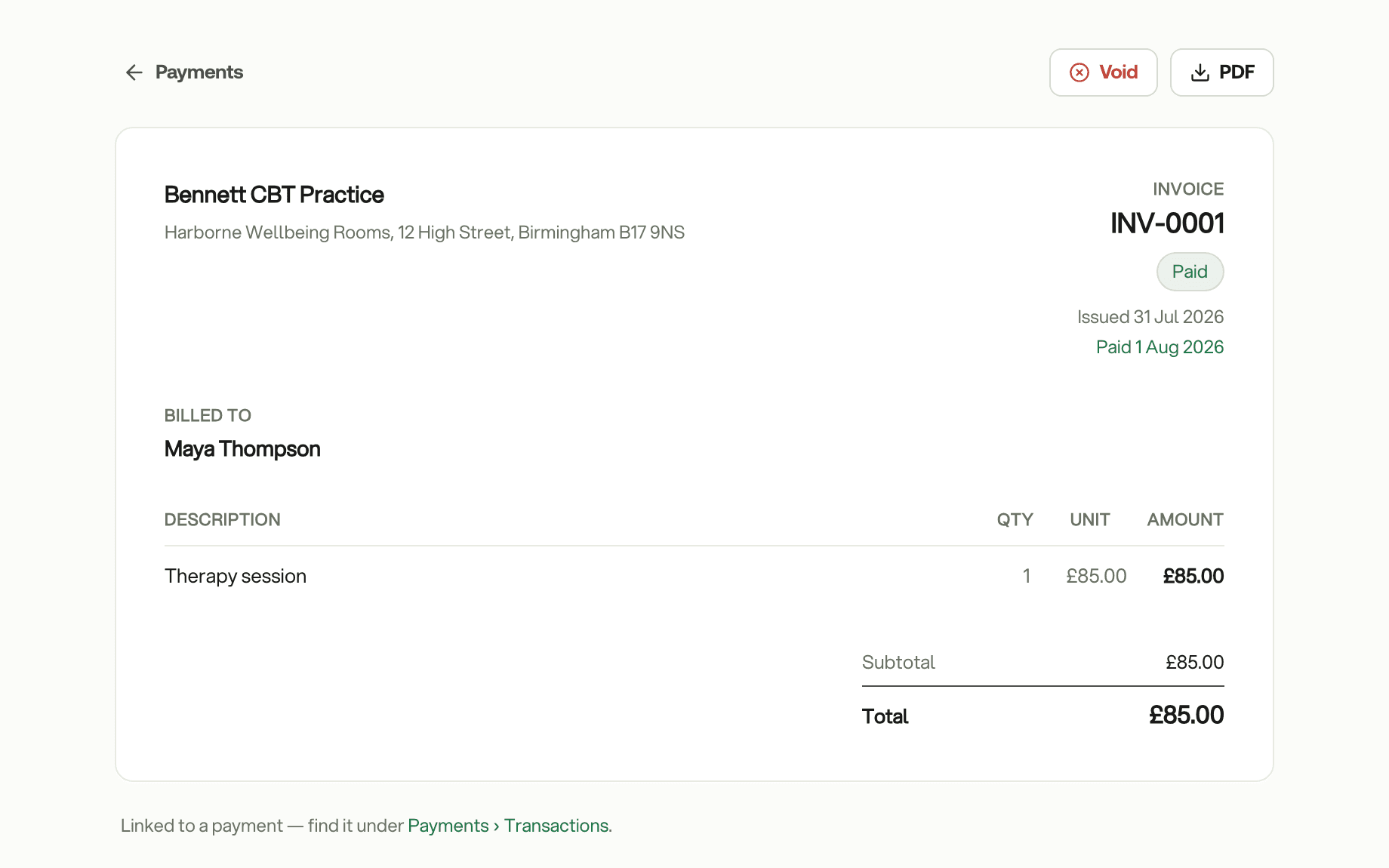
Invoices that write themselves
Every card payment gets a numbered invoice in your practice's name, ready for your client to download.
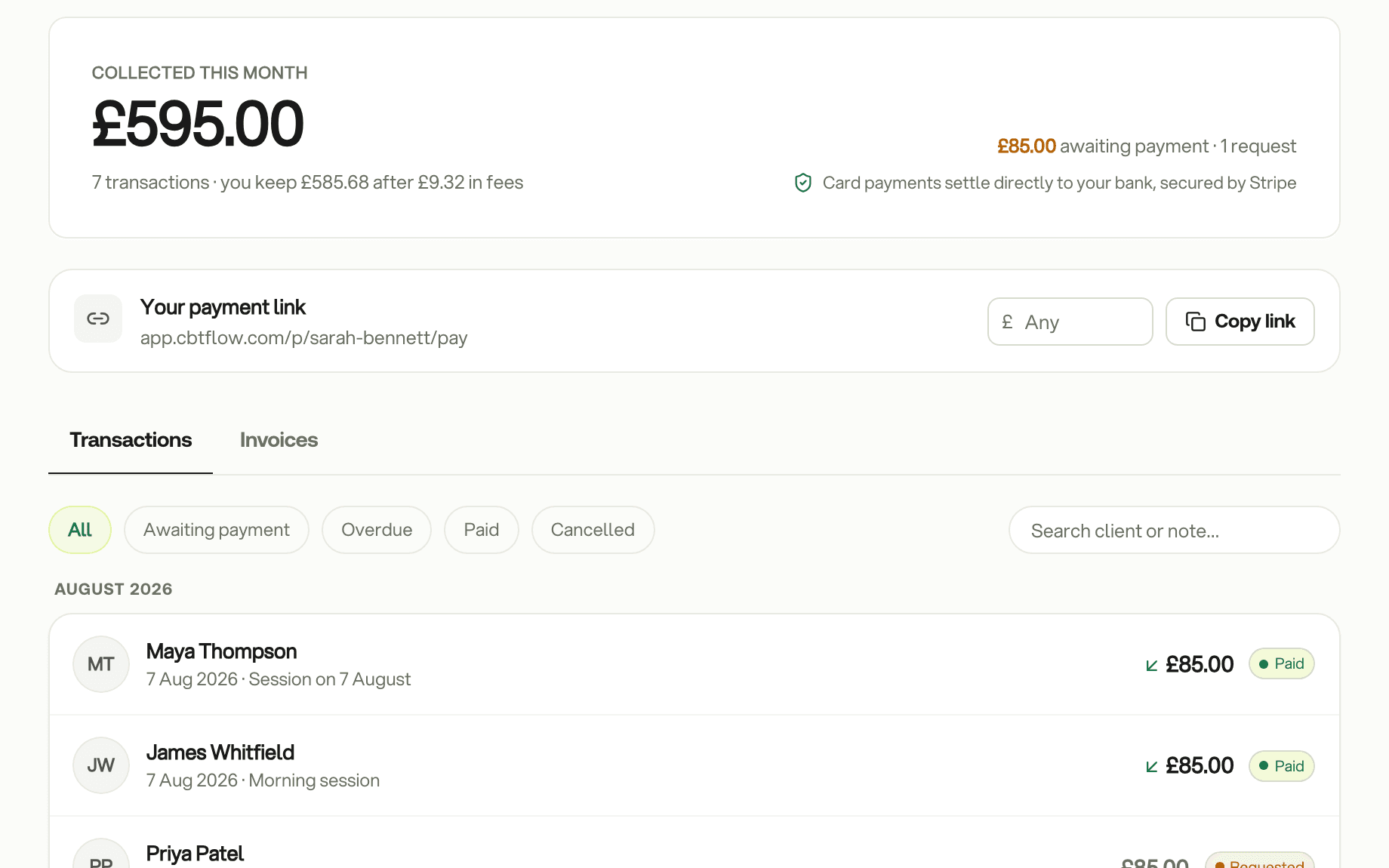
This month on one page
What you have collected this month, what is still owed, and every payment in order. Open one to see the fee, what you received and its invoice.
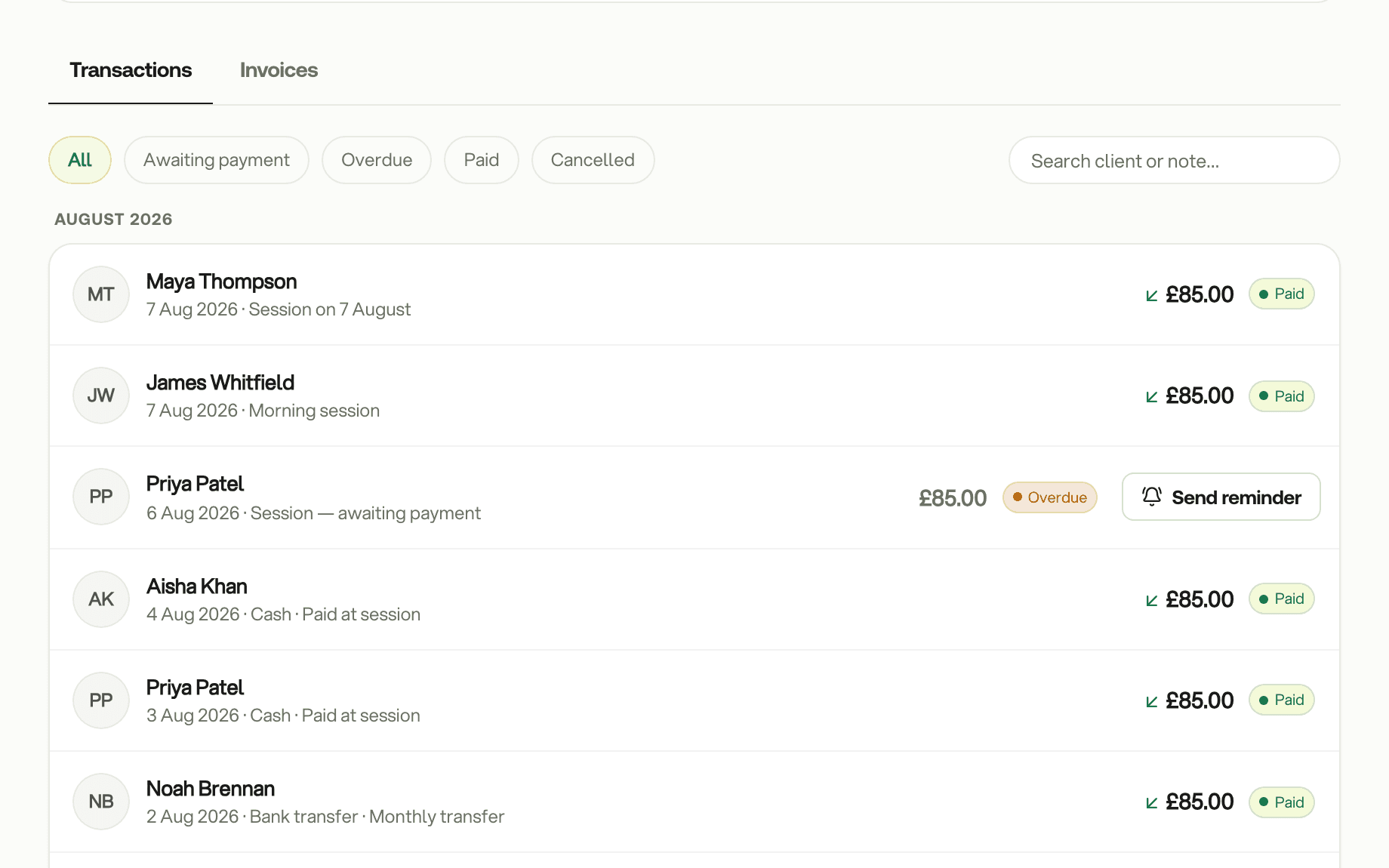
A reminder you do not have to write
An overdue request has a Send reminder button. Your client gets a card in their app that opens the pay screen, and the amount never appears in a notification.
Sessions that have not been billed
CBT Flow notices delivered sessions with no payment attached and lets you request them all at once, each at its own amount.
Cash and bank transfers count too
Record money received outside CBT Flow, by cash, transfer or card machine, so the session shows as paid and your records stay complete.
Invoices when you need more
Write an invoice by hand with your own line items. Numbers run without gaps, an issued invoice cannot be edited, and a mistake is voided and reissued.
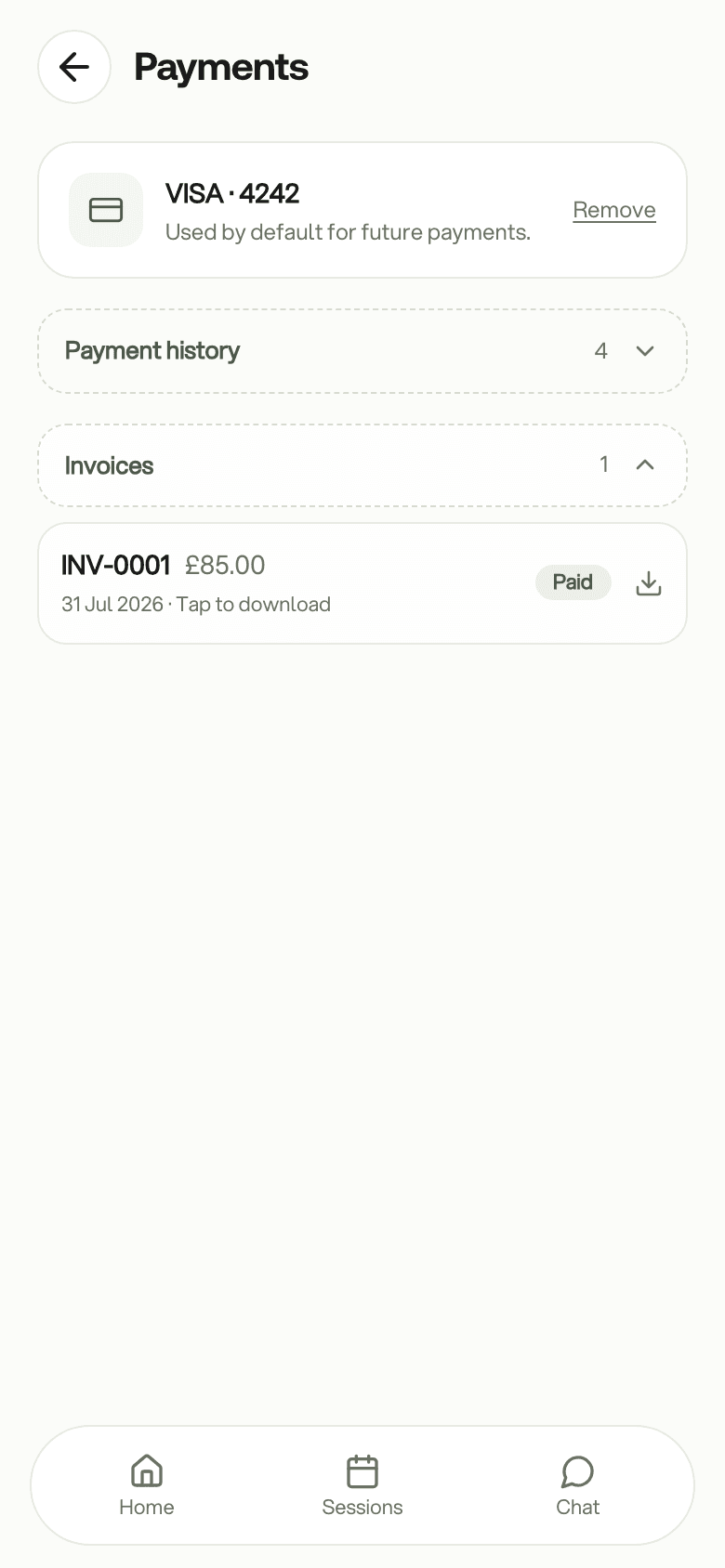
Clients keep their paperwork
Every invoice you issue is in the client's app to view or download. Nothing for you to resend.
A link for anyone
Share your payment link and anyone can pay you by card, including people who do not use the client app.
The details
Good to know
Payments and invoicing are included in Flow Pro. Card payments are taken in pounds and carry a fee per payment; the current rate is shown in your payment settings before you take one. Setting up takes a few minutes with Stripe, who verify your identity and your bank account.
See a payment from request to invoice
Book a 20-minute demo. We will request a fee, pay it as the client and open the invoice.
20 minutes · Google Meet · no obligation